ETstudio hardware configuration
Common hardware interface cards
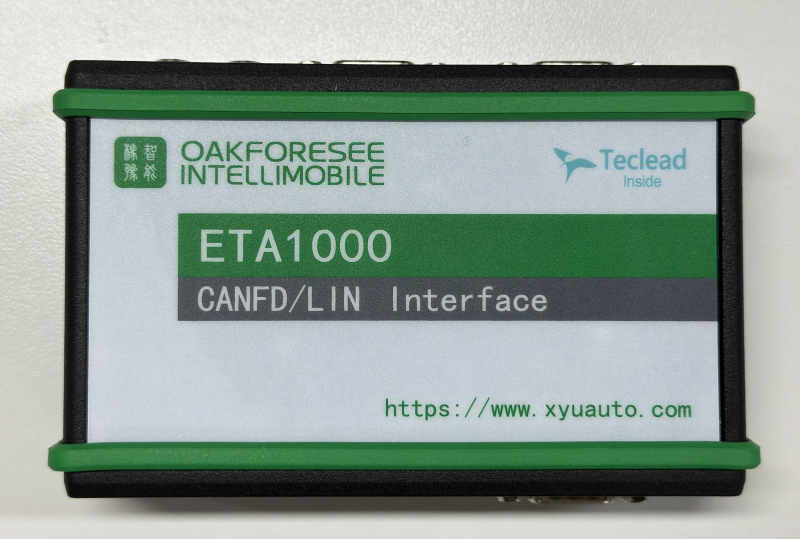
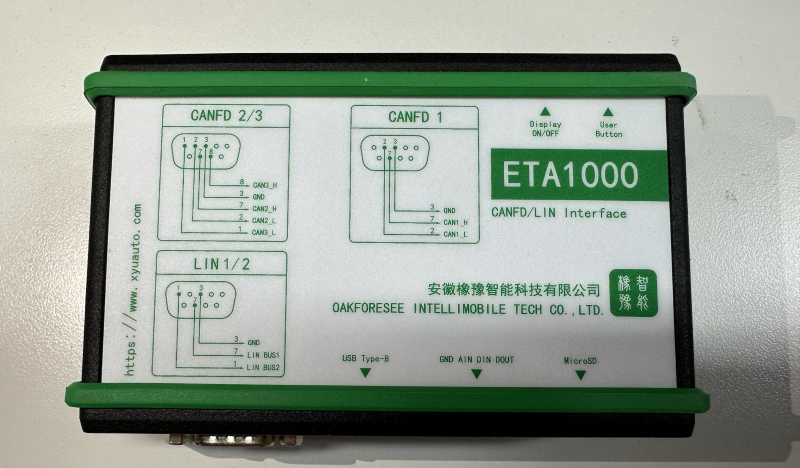
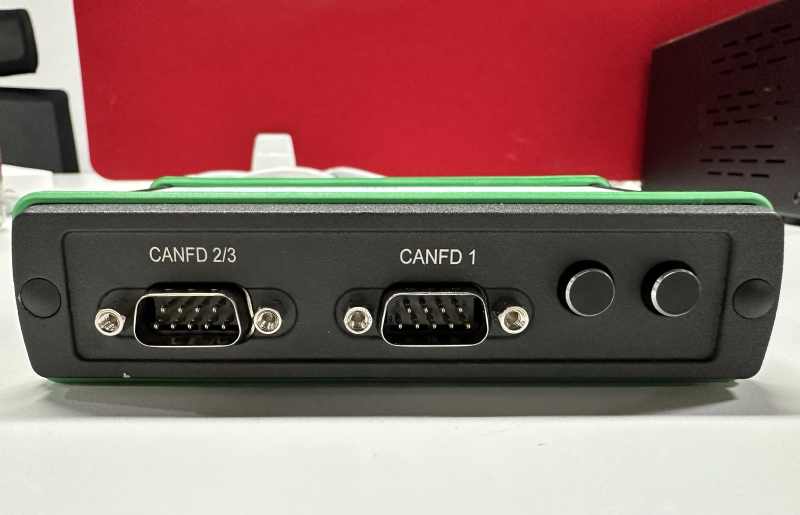
Users choose the appropriate hardware according to actual needs, ETStudio hardware interface card mainly includes SD memory card interface, GROVE port, PC interface and supported bus categories, supporting CAN, CANFD, LIN. When choosing hardware, consider the number of PC interfaces, transceivers, and channels. As shown in the figure below, the ETStudio device box hardware interface overview.
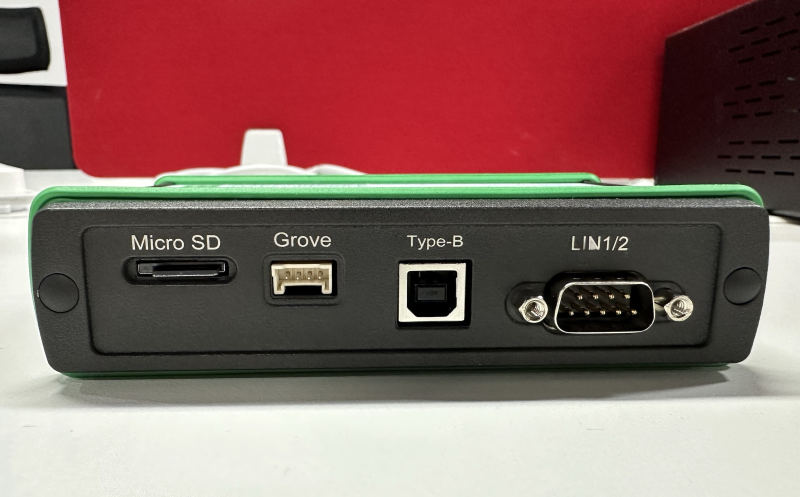
Hardware information view
The computer host is plugged into ETA1000 device box, and the computer screen shows that the device hardware is "connected or operational"

Plug and unplug the computer host EA1000 device box, and the computer screen shows the device hardware "offline status" or "non-online operation"

Hardware configuration
Go to the Device module interface, click Channel Setting, and set the mode mode of CAN and the baud rate of the CAN bus interface, as shown in the figure.
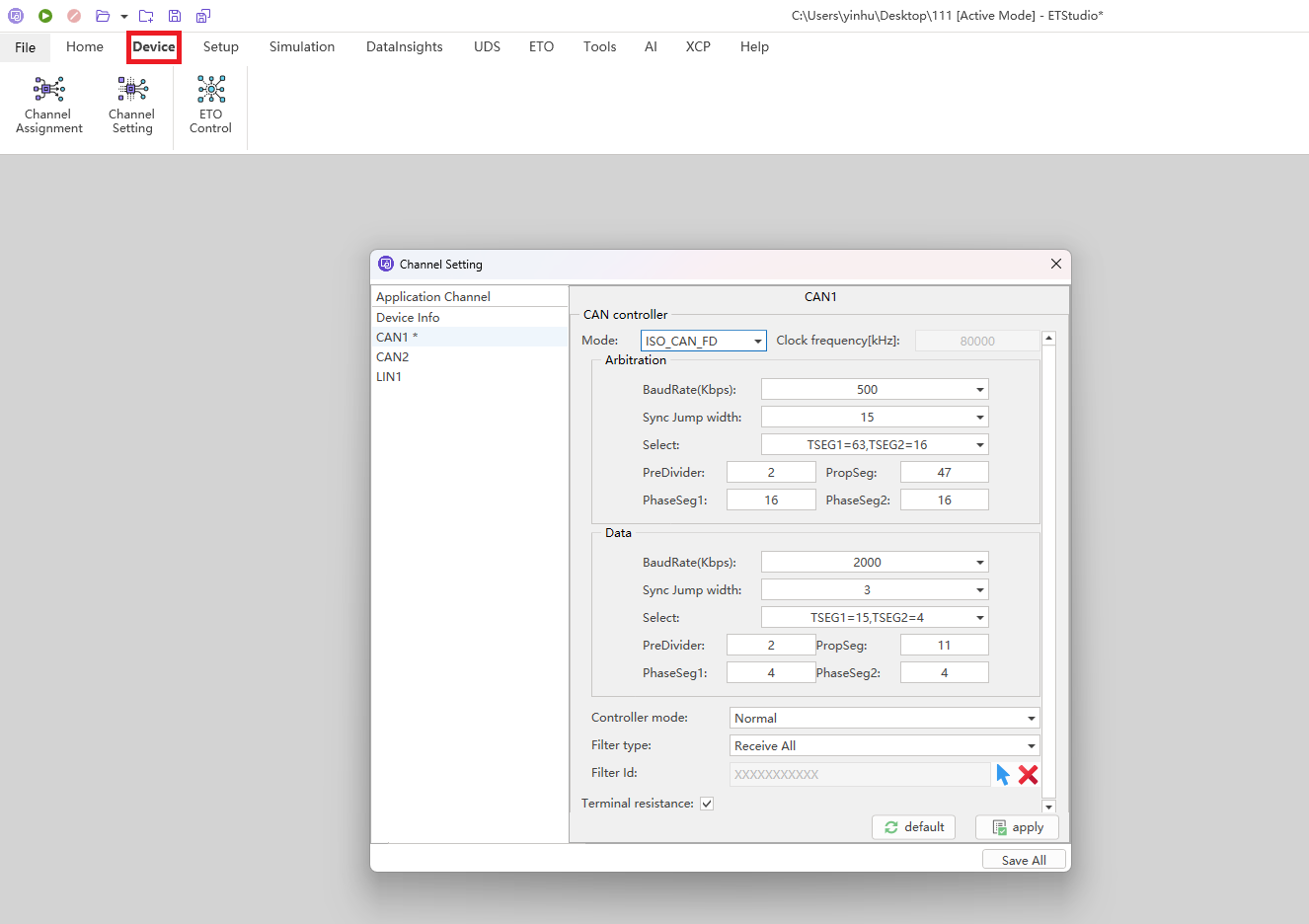
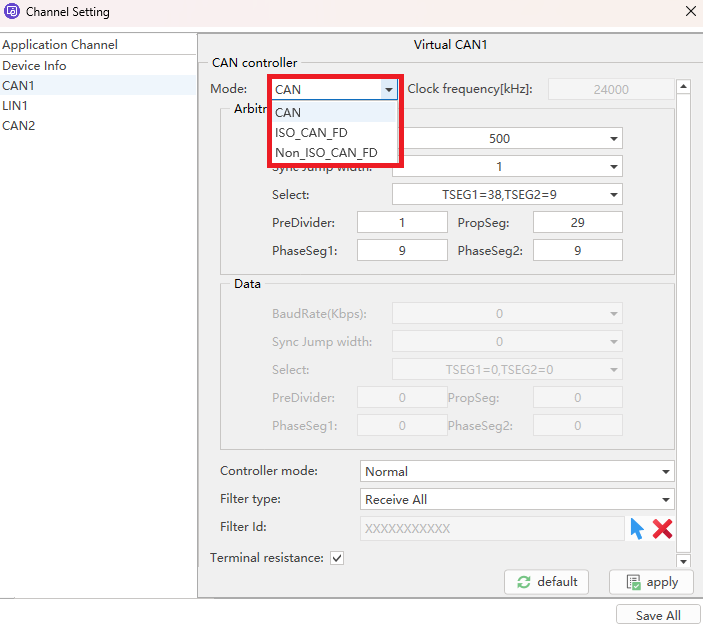
Remark: CAN choose 1, CANFD choose 2, the above picture is CANFD, so choose the second "ISO-CAN-FD"
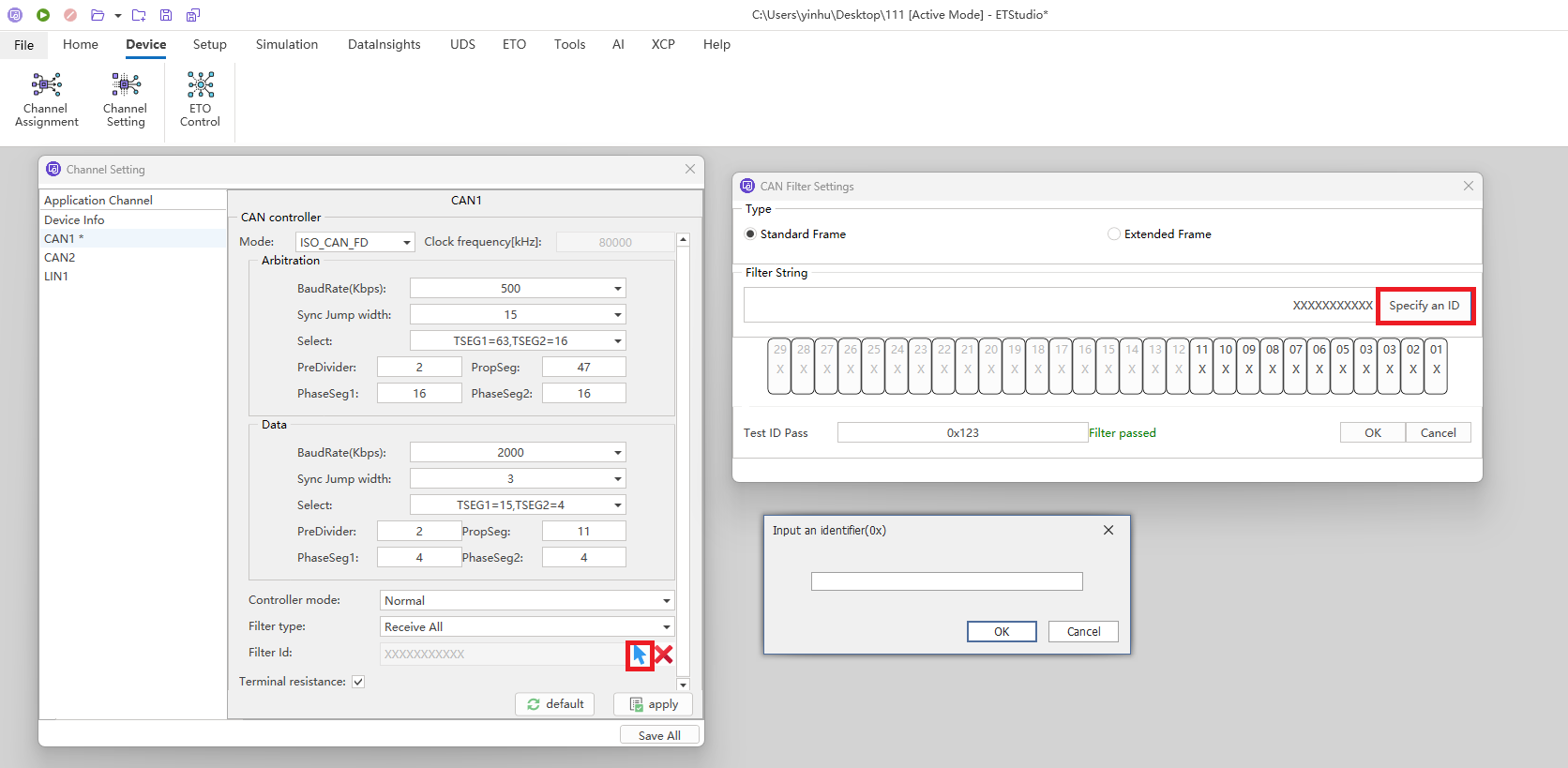
In order to receive packets on the bus correctly, you also need to set a receive filter, as shown in the figure, you can configure a hardware filter to filter out CAN packets that you do not want to receive from the hardware layer. You can filter packets by filtering the type window and the Filter ID window. If the current simulation project is associated with a database, you can directly enter the filtered packet ID in the Filter ID window. Click the blue arrow to enter the Packet Filtering Settings page, as shown in the figure
Number of channels setting
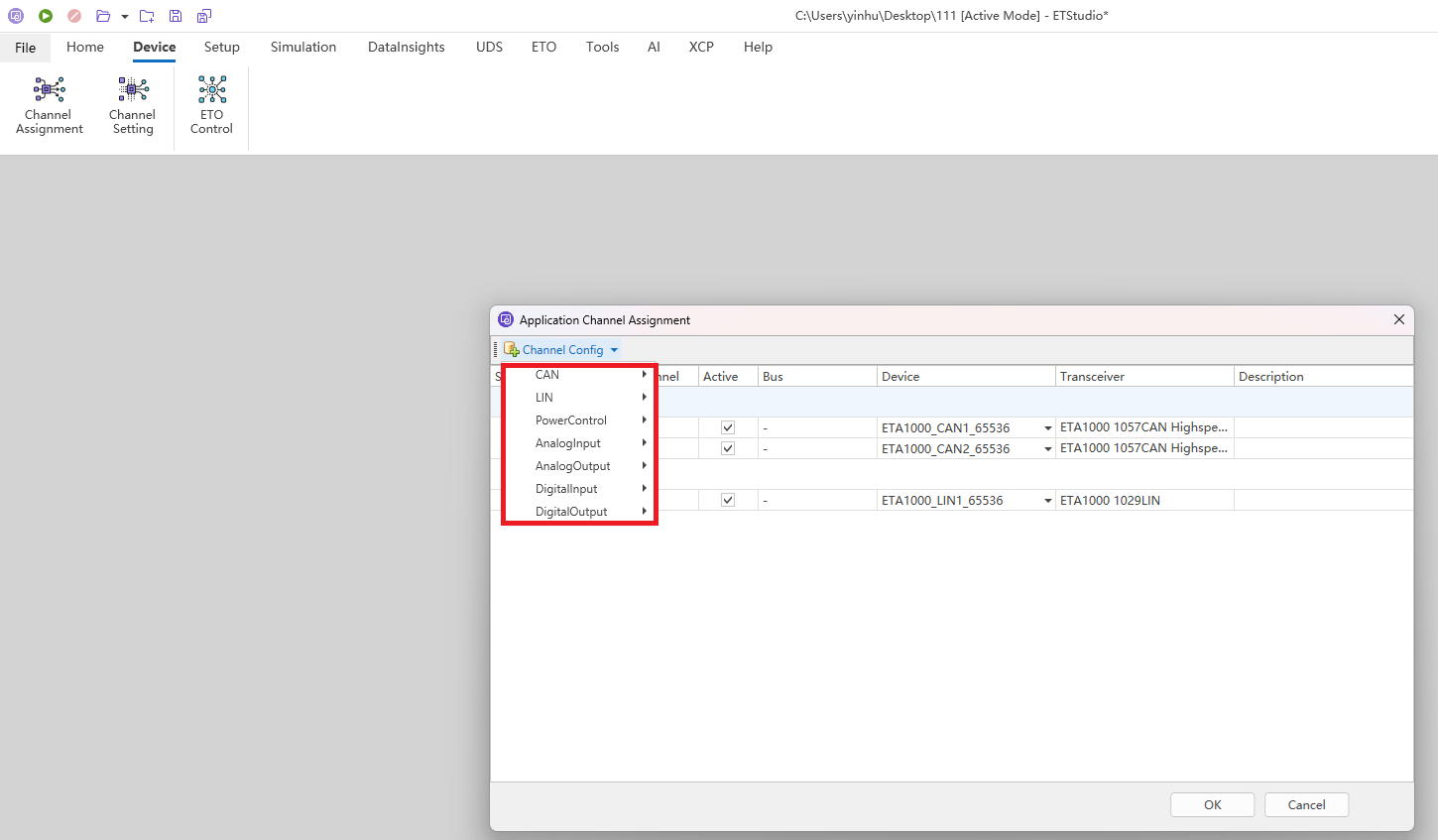
Go to the Device module interface, click Channel Assignment, go to the channel settings page, click Channel Config page in the upper left corner to display the number of channels that allow users to set buses such as CAN and LIN.